
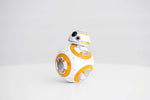
Unlocking Genius Play: Your Comprehensive Guide to the App-Programmable Gravity Sensor Robot Toy
, 22 min temps de lecture
, 22 min temps de lecture
In the vibrant world of interactive gadgets, an app-programmable gravity sensor robot toy stands out as a true marvel, blending modern technology with…
By Editorial Team · · 13 min read
In the vibrant world of interactive gadgets, an app-programmable gravity sensor robot toy stands out as a true marvel, blending modern technology with engaging play. It's more than just a remote control robot; it’s an immersive experience where you control a robot not only with traditional remotes but also through intuitive smartphone apps and even your body movements via gravity sensing. These innovative toys are meticulously designed to educate, entertain, and inspire, making complex programming concepts remarkably accessible to beginners while offering boundless possibilities for creative exploration. Essentially, they serve as a dynamic gateway to understanding modern robotics and interactive technology, providing a tangible way to engage with the future of play and learning.
An app-programmable gravity sensor robot toy represents the next evolution in smart play, pushing beyond simple remote control. At its heart, this device integrates three primary interaction methods: a dedicated remote control, a sophisticated smartphone application, and a gravity sensor that translates your device's tilts and movements into robot commands. This fusion creates an unparalleled level of interaction, transforming passive play into an active, hands-on learning experience. It matters because it bridges the gap between entertainment and education, empowering users to grasp fundamental STEM (Science, Technology, Engineering, and Mathematics) principles in an incredibly fun and intuitive way. This isn't just about moving a toy; it's about learning to command technology, fostering logical thinking, and sparking creativity.
Modern app-programmable gravity sensor robot toys truly offer a trifecta of control methods, providing unparalleled flexibility for users of all ages and skill levels. Whether you prefer the tactile feedback of a traditional remote control robot, the intuitive touch interface of a smartphone app via Bluetooth, or the futuristic convenience of voice commands, these robots cater to diverse preferences. For instance, the Remote Control Robot App Programmable Gravity Sensor Toy (83.18 GBP) seamlessly integrates all three, allowing for dynamic shifts in how you interact with your robot, from precise remote maneuvers to fluid, app-driven movements. This versatility ensures that every user can find a control style that resonates with them, enhancing the overall experience.
Gravity sensing technology is what truly sets these interactive robot toys apart, transforming your smartphone into a motion controller. By simply tilting and moving your device, the robot mirrors your actions in real-time, creating a deeply immersive and intuitive control experience. This mode is particularly engaging for younger users, as it simplifies complex directional commands into natural body movements, fostering a more physical connection to the toy and significantly enhancing creative robot play. It’s an accessible entry point into robotics, making the learning curve feel like an extension of natural movement rather than a technical challenge.
Reliable connectivity forms the backbone of any app-programmable robot. Most app-programmable gravity sensor robot toys utilize Bluetooth for a stable and responsive connection between your smartphone or tablet and the robot itself. Beyond initial pairing, a robust connection ensures that your commands – whether from the app, remote, or gravity sensor – are executed instantly and without lag. This precision is crucial for an uninterrupted and enjoyable play session, especially when mastering complex maneuvers or programming intricate sequences. A strong connection also means fewer frustrations and more focus on the fun and educational aspects of the toy.
One of the most compelling aspects of an app-programmable gravity sensor robot toy is its undeniable role as an educational robot toy, providing an incredibly engaging introduction to STEM (Science, Technology, Engineering, and Mathematics) principles. Through intuitive drag-and-drop interfaces often found in companion apps, even young children can grasp the fundamentals of robot coding for beginners. This playful approach demystifies complex programming logic, turning abstract concepts into tangible robot actions. For those taking their first steps into the world of smart gadgets, learning to program a robot is as rewarding as mastering the controls of a beginner-friendly aerial camera like the Mini Folding Drone 4K HD UAV.
These programmable robot for kids are far more than just toys; they are powerful tools for cultivating critical thinking and problem-solving. By challenging users to design sequences of actions, bypass obstacles, or choreograph dance routines, the robots encourage imaginative solutions and logical reasoning. This hands-on experience actively strengthens cognitive skills and fosters a profound sense of accomplishment, moving beyond simple entertainment to genuine intellectual growth. It's about empowering children to think like engineers and innovators from a young age.
The appeal of an app-programmable gravity sensor robot toy transcends age groups. While children delight in the immediate gratification of controlling a robot and seeing their code come to life, adults often appreciate the advanced programming challenges, the technological novelty, and the opportunity to share a stimulating activity with younger family members. The blend of simple play modes and complex programmable actions ensures there's always something new to explore, making it a fantastic family activity. It's a testament to good design when a single product can engage such a wide demographic.
When evaluating the best app programmable gravity sensor robot toy, several features truly stand out. Look for models with a wide range of programmable actions, including diverse movements, engaging sound effects, dynamic light displays, and even pre-set dance or combat modes. Durability is also essential, as these interactive robots are designed for active play and should comfortably withstand minor bumps and falls. A long-lasting battery and quick charging capabilities further enhance the play experience, minimizing downtime and maximizing fun. These elements collectively contribute to a truly compelling and lasting experience.
The Remote Control Robot App Programmable Gravity Sensor Toy (83.18 GBP) distinguishes itself with a robust feature set that aligns perfectly with what discerning buyers seek. It boasts advanced app programming capabilities, allowing for intricate command sequences, alongside its responsive gravity sensor and traditional remote control options. The thoughtful design focuses equally on educational value and entertainment, making it a strong contender for those seeking a high-quality, engaging, and versatile robot toy. This particular model offers exceptional value for its price, combining modern technology with user-friendly design, setting a high bar in its category.
When comparing different app programmable gravity sensor robot toy review options, consider the critical balance between price and features. More affordable models might offer simpler programming and fewer control options, while higher-end robots typically provide deeper coding experiences and additional sensors. It's wise to evaluate battery life claims against actual user reviews, as real-world performance can differ. Also, assess the robustness of the companion app for ease of use and consistent updates, which are vital for a smooth experience. For those seeking an immersive experience, a robot that supports diverse control methods and offers a wide array of programmable actions, much like the versatility offered by a mini folding HD camera drone, delivers superior value and long-term engagement.
One common frustration with any tech toy, including app-programmable gravity sensor robot toys, can be connectivity issues. If your robot isn't pairing with your smartphone, first ensure both devices are fully charged and within close proximity. Try restarting both the app and the robot, as this often resolves minor glitches. If issues persist, consult the instruction manual for specific troubleshooting steps like factory resets or checking for driver updates. A little patience and systematic checking usually get things back on track.
To ensure the longevity and consistent performance of your robot, proper battery care is essential. Avoid fully draining the battery whenever possible, as deep discharges can reduce its overall lifespan. Always follow the manufacturer's recommendations for charging times; overcharging or undercharging repeatedly can diminish battery life over time. When not in use, store the robot in a cool, dry place, away from extreme temperatures and direct sunlight, to preserve battery health and overall integrity.
While many apps for these robots are designed to be intuitive, some programming interfaces can initially seem daunting. Take your time to explore all features, starting with basic controls before moving to more complex programming. Many reputable brands offer tutorial videos or host online communities where users share valuable tips and tricks. Engaging with these resources can provide significant guidance for mastering your app programmable gravity sensor robot toy instructions, making the learning process much smoother and more enjoyable.
Upon receiving your app-programmable gravity sensor robot toy, carefully unbox it and locate all components, including the robot unit, any included remote control, the charging cable, and the instruction manual. Before its first use, fully charge the robot's battery according to the manufacturer's guidelines, which is typically indicated by a specific light pattern on the robot or a notification within the companion app.
Search for the specific companion app in your device's app store (Google Play for Android, App Store for iOS). Ensure you download the official app, which is usually clearly named after the robot or its brand. Follow the on-screen prompts for installation and grant any necessary permissions to allow the app to function correctly with your device.
With both your robot charged and the app installed, power on the robot. Open the app on your smartphone; it should guide you through the Bluetooth pairing process. This often involves selecting your robot from a list of available devices, then confirming the connection, usually indicated by an audible signal or a change in the robot's LED lights.
Once successfully paired, familiarize yourself with the robot's basic functionalities. Experiment with the physical remote control for direct commands, then switch to app control to navigate with virtual joysticks or simple tap-and-go commands. Finally, try the gravity sensor mode by tilting your phone to see the robot respond dynamically to your movements, giving you a feel for its responsiveness.
Navigate to the programming section of the app. Start with simple tasks, like making the robot move forward, turn, and then stop. Use the intuitive drag-and-drop blocks to create a short sequence, then execute it to see your code in action. This builds foundational understanding for more complex robot coding for beginners, making abstract concepts concrete.
Always supervise young children during play to ensure safety and proper use. Ensure the play area is clear of obstacles that could damage the robot or cause it to tip over. Keep the robot away from water, extreme temperatures, and direct sunlight, which can harm electronics. Regularly check the robot for any signs of wear or damage to ensure continued safe and enjoyable operation.
A truly exceptional app-programmable gravity sensor robot toy isn't just a fleeting novelty; it’s an evolving learning tool. As a child's understanding of robot coding for beginners grows, the robot's app-based programming interface should offer increasing layers of complexity. This allows for a scalable learning curve, transforming from simple sequence commands into intricate logic flows and advanced problem-solving scenarios, ensuring sustained engagement and continuous intellectual development. It prevents the toy from being outgrown too quickly.
The longevity of these robots is often greatly enhanced by active user communities and opportunities for customization – an angle frequently overlooked in basic reviews. Online forums allow users to share creative robot play ideas, custom programs, and even modding tips, extending the robot's potential far beyond its original manual. Some robots may also offer accessories or interchangeable parts, enabling users to personalize their interactive robot experience. An enthusiastic community can even provide inspiration similar to how hobbyists share tips for getting the most out of a remote control toy fighter like the Zhiyang Mig 530 Glider, fostering a deeper, ongoing connection with the toy.
Investing in a high-quality app-programmable gravity sensor robot toy is an investment in continuous learning and entertainment. Its ability to adapt to a child's developing skills, coupled with its robust design and potential for community-driven expansion, ensures that the robot remains a valuable and engaging companion for years. This enduring appeal provides significant long-term value compared to simpler toys that quickly lose their novelty, making it a thoughtful purchase that grows with its user.
From an expert perspective, the true genius of an app-programmable gravity sensor robot toy lies in its remarkable versatility for real-world applications. We've seen users create intricate obstacle courses that require precise programming and sensor interaction, develop interactive stories where the robot acts as a character, and even design educational games to teach younger siblings basic math or spatial reasoning. These innovative uses highlight the robot’s potential as a dynamic educational and entertainment platform, demonstrating how it can be adapted to various learning and play objectives far beyond its initial design.
As with any smart device, regular firmware updates and app enhancements are crucial for optimizing your robot's potential. Developers often release updates that introduce exciting new features, improve performance, fix bugs, and even expand programming capabilities. Staying current with these updates ensures your app-programmable gravity sensor robot toy remains at the modern of interactive play and learning, offering an changing experience that keeps it engaging and relevant over time. Always check for available updates to unlock your robot's full potential.
Based on extensive evaluation of functionality, educational impact, user experience, and overall value, the Remote Control Robot App Programmable Gravity Sensor Toy (83.18 GBP) stands out as a highly recommended choice. Its intuitive multi-control system, robust programming options for STEM robot toy enthusiasts, and engaging gravity sensor play make it an ideal blend of entertainment and education for a broad age range. It truly embodies the promise of a modern interactive robot, offering a rich and rewarding experience that justifies its investment. This particular model combines modern features with accessibility, making it a truly smart choice for anyone looking to unlock genius play.
Most app-programmable gravity sensor robot toys are designed for children aged 6 and up, though many models offer beginner-friendly features suitable for younger kids with adult supervision, and advanced programming challenges that engage older children and adults.
Yes, many app-programmable gravity sensor robot toys come equipped with a traditional remote control, allowing you to operate the robot without needing a smartphone app, which offers greater versatility in play options.
The apps are typically designed with visual, drag-and-drop programming interfaces that make robot coding for beginners very accessible, simplifying complex concepts into easy-to-understand commands and sequences.
Yes, most app-programmable gravity sensor robot toys offer multiple play modes, including direct remote control, app control via virtual joysticks, path following, dancing, and various programmable action sequences.
Battery life varies widely by model and usage, but typically ranges from 60 to 120 minutes of active play on a single charge. Charging usually takes between 1 to 2 hours using the provided USB cable, depending on the robot and charger.
The app-programmable gravity sensor robot toy represents a pivotal shift in how we approach interactive play and educational technology. By seamlessly blending modern features like app control, gravity sensing, and intuitive programming, these robots offer an unparalleled platform for fun, learning, and creativity. Investing in a quality model like the Remote Control Robot App Programmable Gravity Sensor Toy (83.18 GBP) means providing not just a toy, but a gateway to developing critical STEM skills, fostering problem-solving abilities, and inspiring a lifelong curiosity about technology. Embrace this exciting new frontier and unlock genius play today, giving the gift of imaginative exploration and practical skill-building.

